Scenario
A company’s employee joined a fake iPhone giveaway. Our team took a disk image of the employee’s system for further analysis. As an SOC analyst, you are tasked to identify how the system was compromised.
Question 1: What is the hostname of the victim machine?
Answer: WIN-NF3JQEU4G0T
In order to know the computer name, we have to look at ComputerName registry key in the SYSTEM hive. SYSTEM hive is located in Windows\System32\config directory. There, we can export it and load it with Registry Explorer.
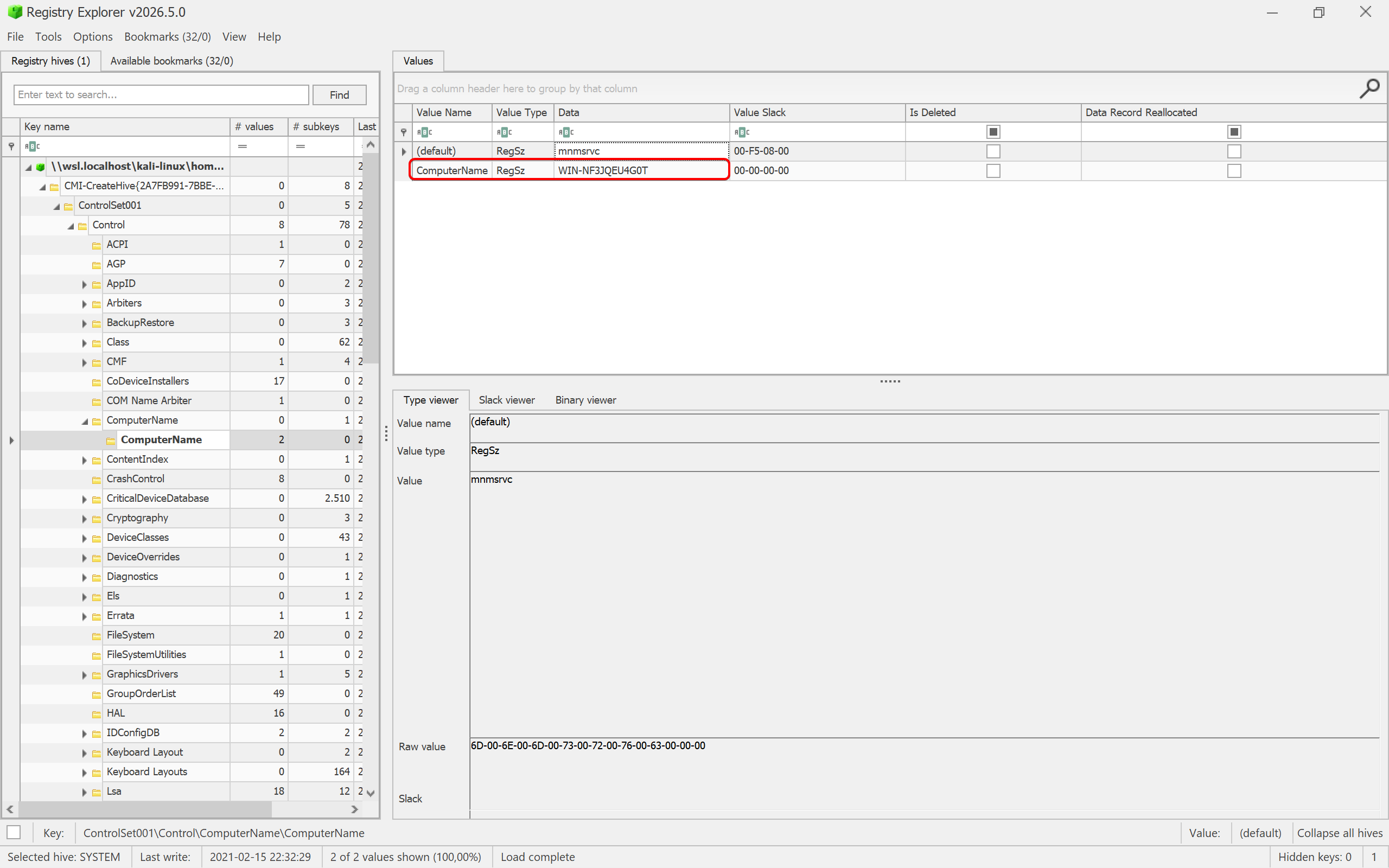
As we can see, we found the ComputerName key with its value at ControlSet001\Control\ComputerName directory.
Question 2: What is the messaging app installed on the victim machine?
Answer: WhatsApp
Tracking software names on Windows can be such a tricky task, since Windows can install apps on different locations. It can be in the Program Files, Program Files (x86), or even AppData directory. We can check from AppData first.
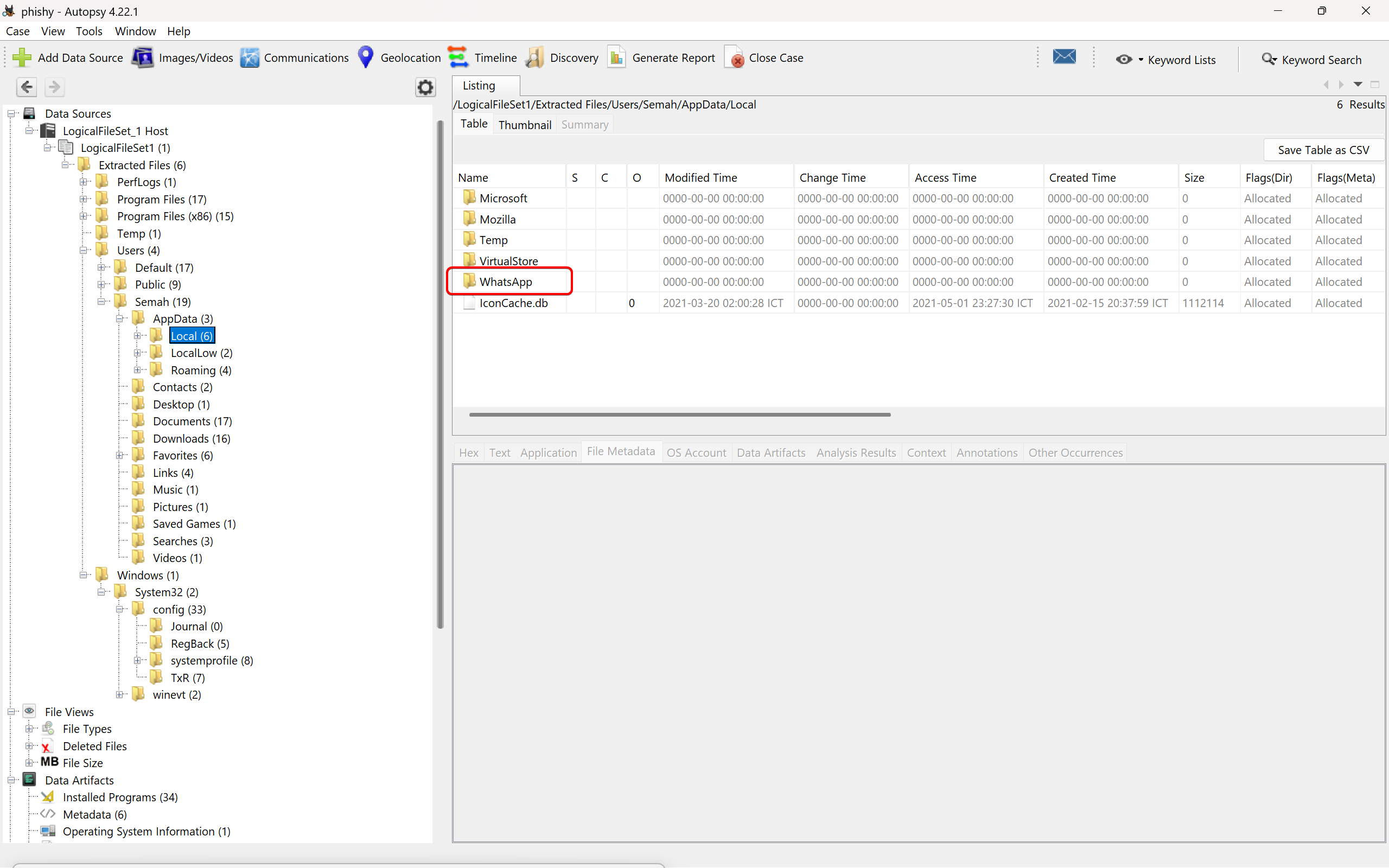
There in the AppData\Local directory, we found a few directories, including WhatsApp, the only messaging app we are looking for here.