Foren: Jarvis, Throw the match and blame supports
Description
Customer’s house got broken into last week. Legal is now VERY interested in whether the intruder used a certain thing that a certain someone warned about a certain amount of times.
Author: ghoti
Solution
Here we are provided with a BIN file and a README.txt file, which, upon checking, turned out to be the firmware for an ESP32.
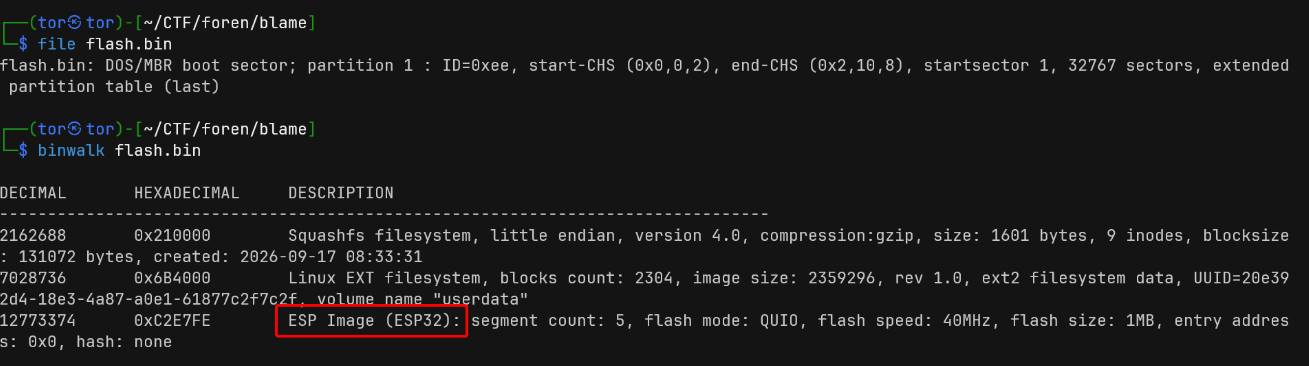
Well, if you read the README (which is basically like a free hint), you’ll get the gist of the process, which doesn’t seem too complicated.
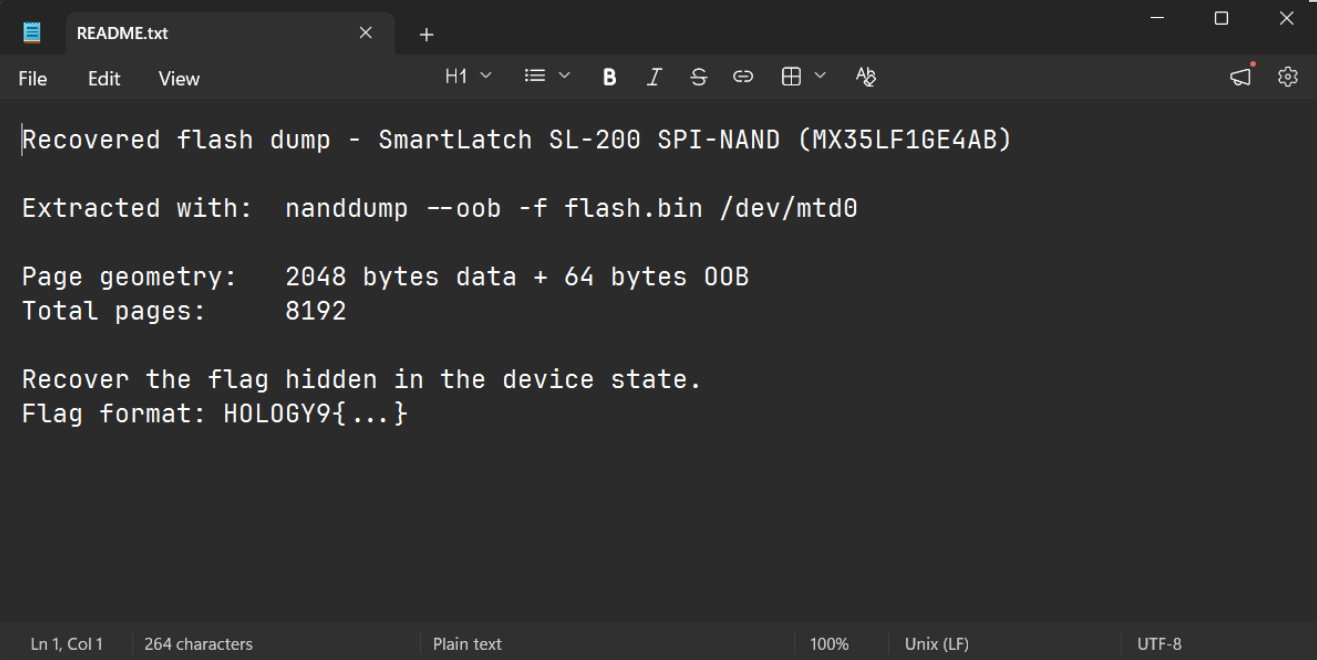
In the README, it’s called “page geometry.” I tried checking the block size, and this is what I found.
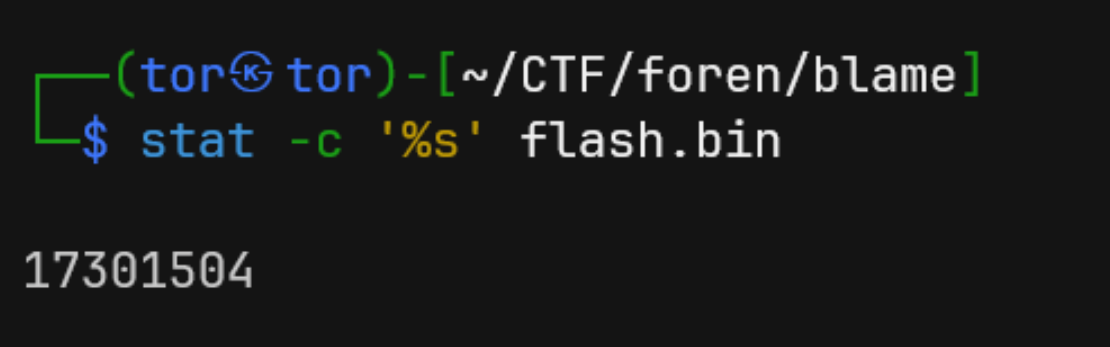
It matches the README. 8192 × (2048 + 64) = 17,301,504 bytes.
To be honest, I was a bit confused after that, since I’m not very familiar with IoT forensics like this. Just for fun, I tried extracting the BIN file, and it actually worked. I extracted it to the out folder.
┌──(tor㉿tor)-[~/CTF/foren/blame/out]
└─$ tree .
.
├── etc
│   ├── config
│   │   └── device.conf
│   ├── hostname
│   ├── init.d
│   │   └── S30nvram
│   └── passwd
└── root

5 directories, 4 files
There’s a hostname and a password that, upon checking, turned out to be unimportant. Take a look at S30nvram, it turns out to be a POSIX shell script. Try printing its contents:
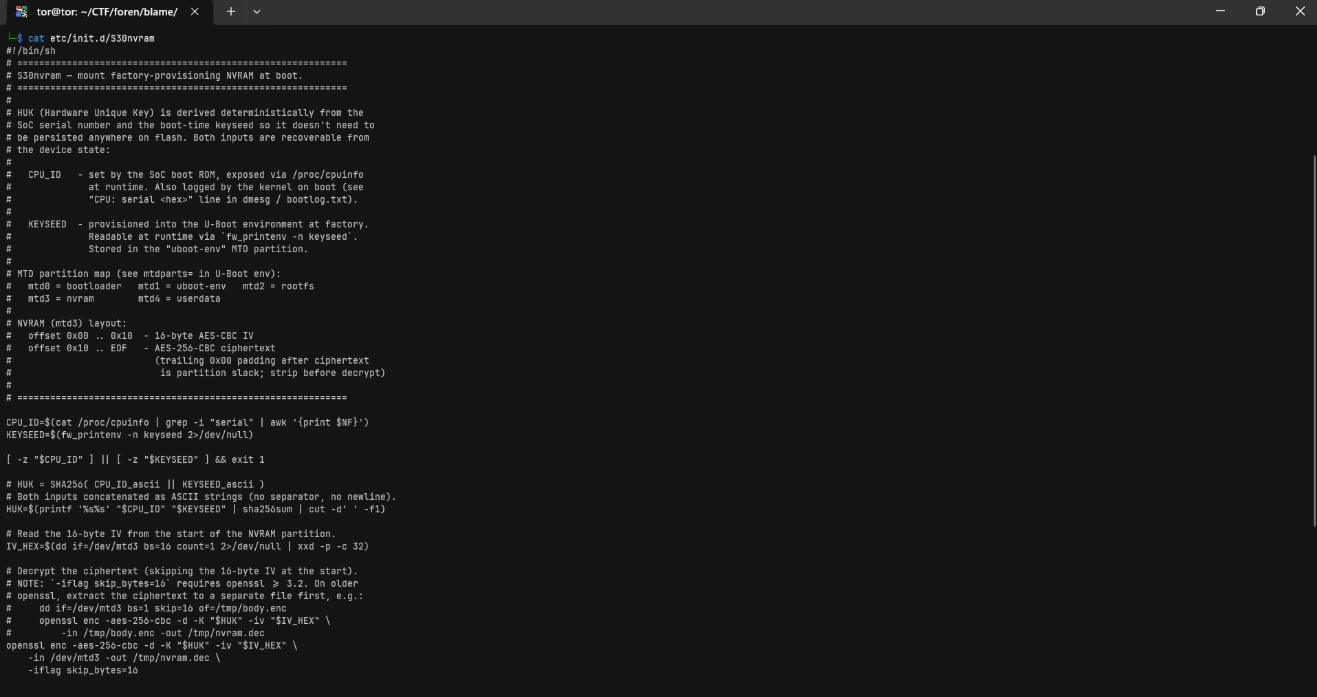
Basically, the script explains several components of this challenge.
CPU_ID  >> /proc/cpuinfo atau bootlog
KEYSEED >> U-Boot environment
mtd3    >> encrypted NVRAM
HUK (Hardware Unique Key) = SHA256(CPU_ID_ascii || KEYSEED_ascii)
Next, we can “clean up” the firmware file. Since only 2048 bytes of data per page are needed, we need to create an image without OOB
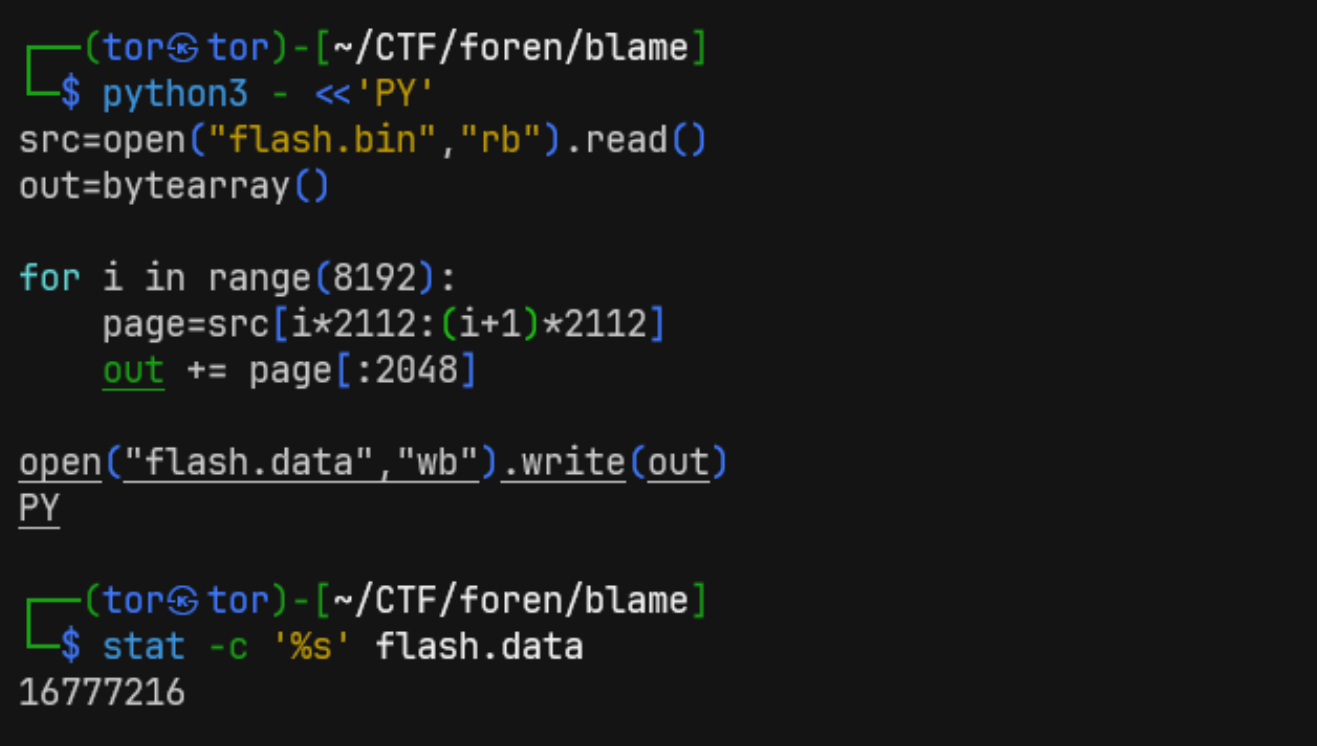
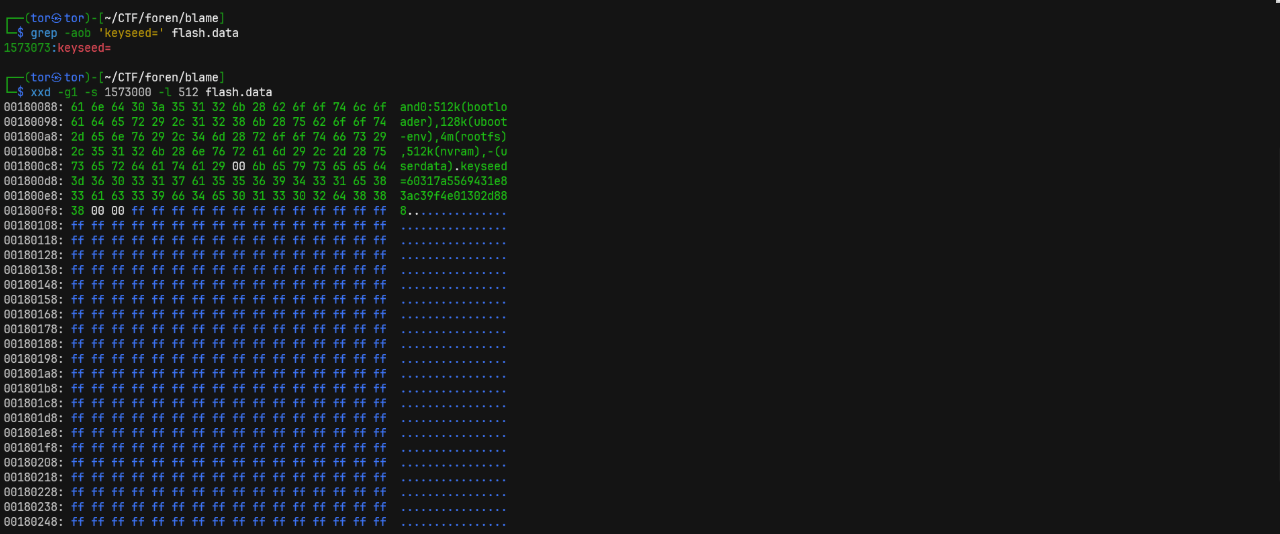
The next step is to find the CPU_ID and KEYSEED to use for generating the HUK later. The result is the keyseed and the MTD layout.
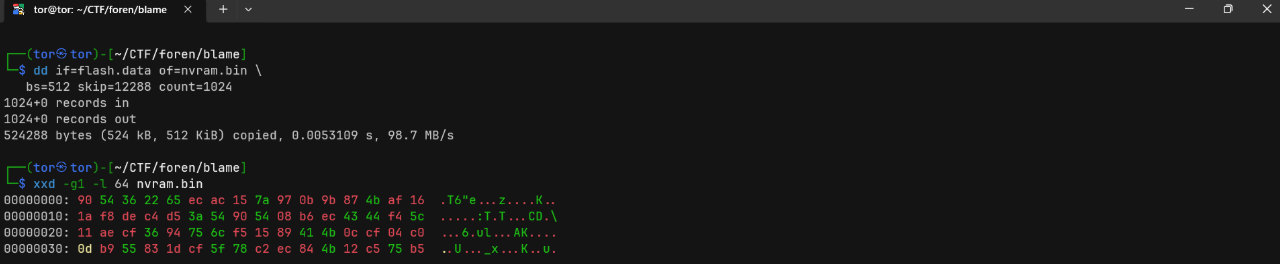
Let’s just dump the NVRAM here. We can find the IV in the first 16 bytes: 9054362265ecac157a970b9b874baf16.
Since we have all the data, we can extract the HUK and separate the IV from the ciphertext, so that decryption will be easier later.

Decrypt using the command given earlier:
openssl enc -aes-256-cbc -d \
  -K 9fd55ad7eb3e70c847f6de2dbfdf039029e0667411f26a4e8f880ab43c339040 \
  -iv 9054362265ecac157a970b9b874baf16 \
  -in body.enc \
  -out nvram.dec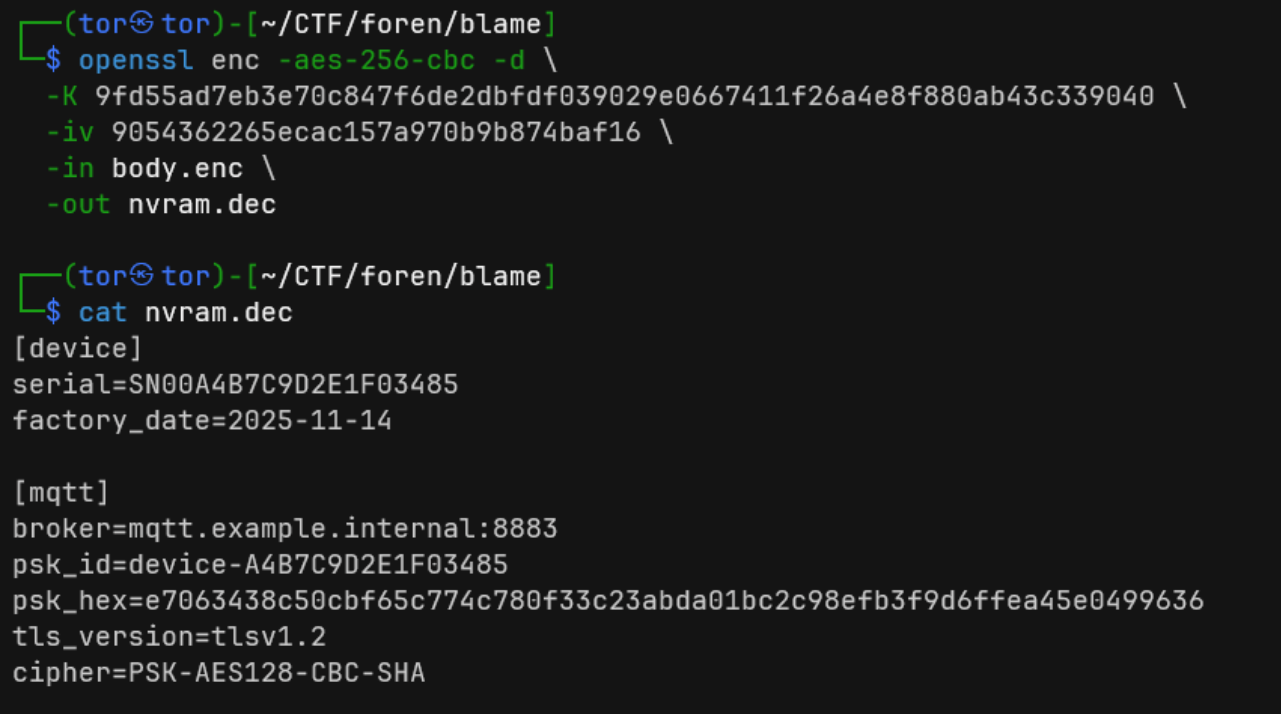
Now, we have the key. Later, there will be a userdata image file that can be mounted from the flash.data file.

Even though we got a “permission denied” error, it looks like there’s a PCAP file in one of the paths. This actually aligns with the beginning of the problem, which indicates that this is related to MQTT, one of the communication protocols used in IoT. Let’s try opening the PCAP file.
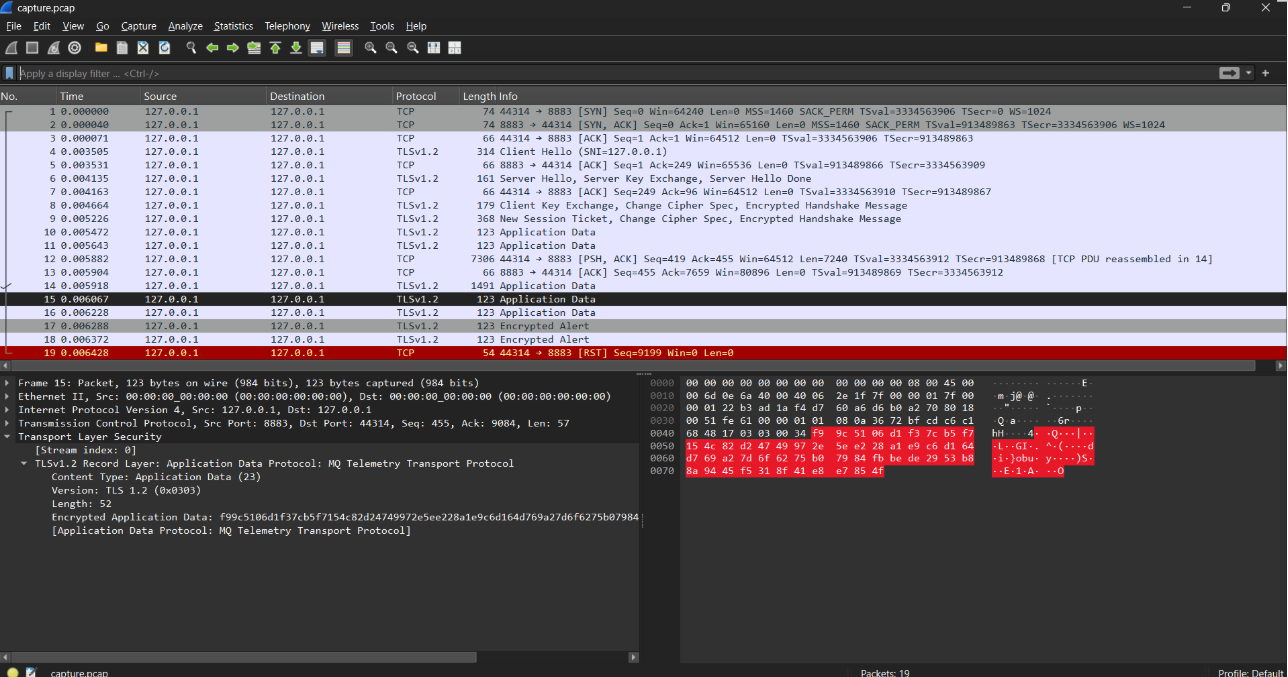
There aren’t many packets and they’re all encrypted. Let’s enter the hex PSK we obtained earlier for the TLS protocol and see the decryption results. In one of the packets, there’s a Publish Message containing the application data sent via MQTT earlier, and below that, we got the flag.
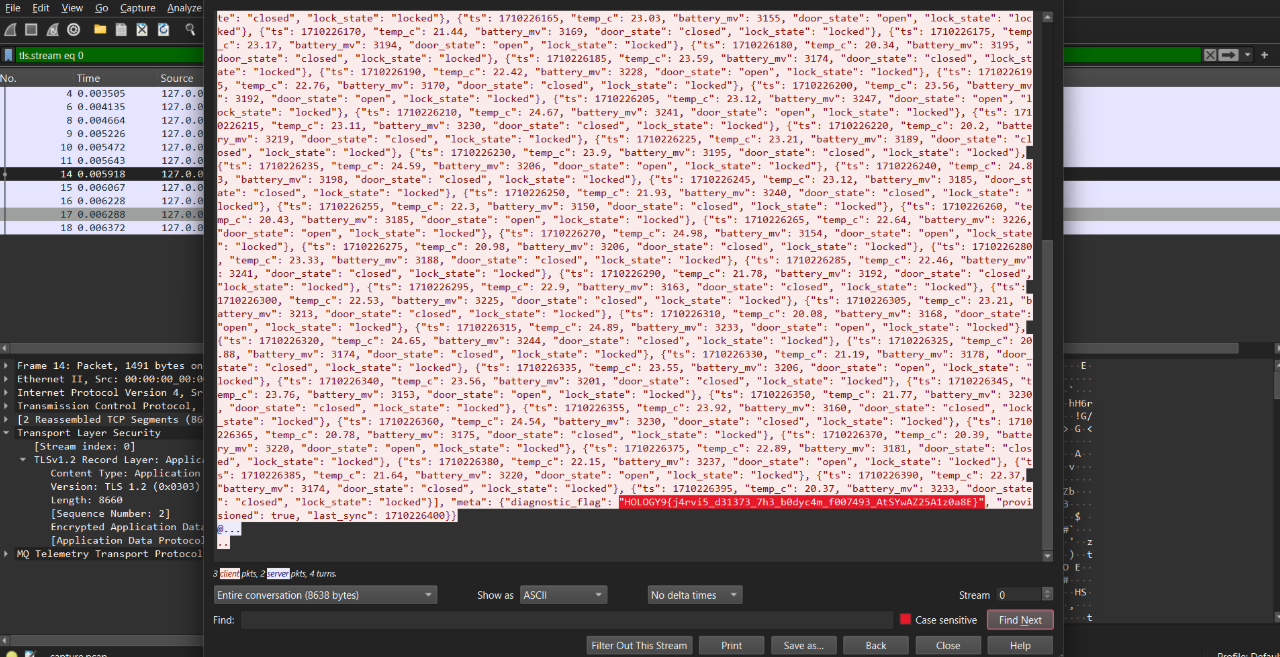
Flag
HOLOGY9{j4rvi5_d31373_7h3_b0dyc4m_f007493_AtSYwAZ25A1z0a8E}